Inbox
The Inbox shows notifications and results from background tasks. Access it by tapping the bell icon in the Home screen header.
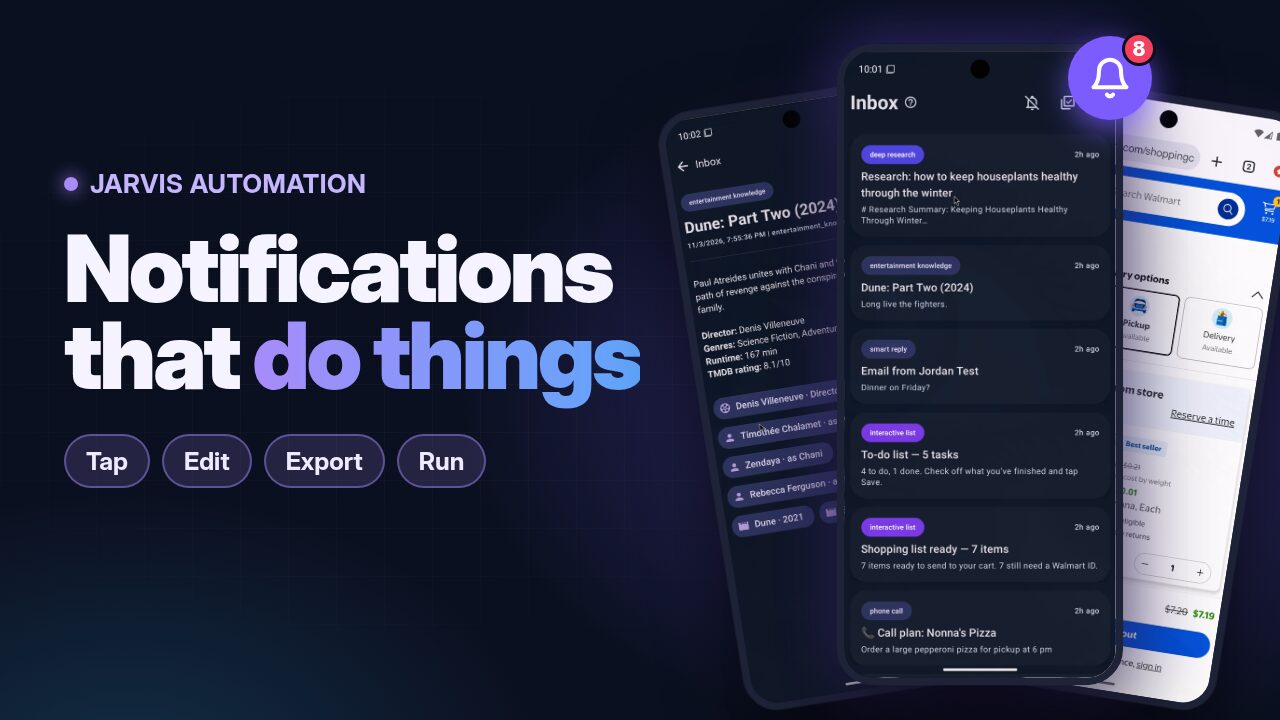
Watch the Inbox in action: notifications you can tap, edit, export and run (YouTube)
Item Types
Each item has a coloured category chip. Tapping an item opens the screen for its type.
| Category | What it is | Tapping it opens |
|---|---|---|
deep_research |
A research report from the server's deep_research tool |
The full report with its sources |
alert |
Alerts from background tasks: VIP emails, urgent messages, calendar reminders | The item's details |
reminder |
A reminder you set | The item's details |
confirmation |
A confirmation a command sent to your inbox | The item's details |
adapter_proposal |
A proposal to switch to a newly trained adapter, with its metrics | Apply, Preview or Dismiss |
adapter_deployed |
An adapter that was switched in | Its metrics and a Revert button |
adapter_reverted |
An adapter that was rolled back | The item's details |
interactive_list |
A list a command sent for you to act on (pick rows, then one of its buttons) | The list, with the command's own actions |
Deep Research
When you ask Jarvis to research a topic, the results are delivered to your Inbox as a detailed report. Tap an item to view the full research summary with sources.
Badge Count
The bell icon shows an unread count badge when new items arrive. The count refreshes when you return to the Home tab.